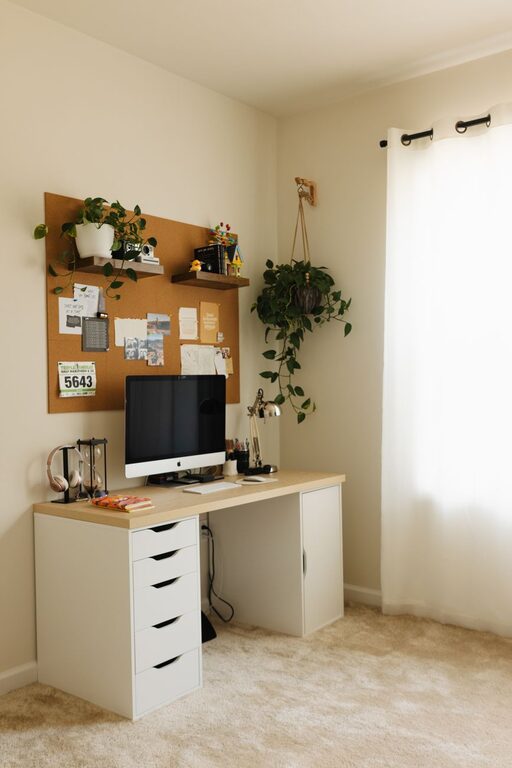
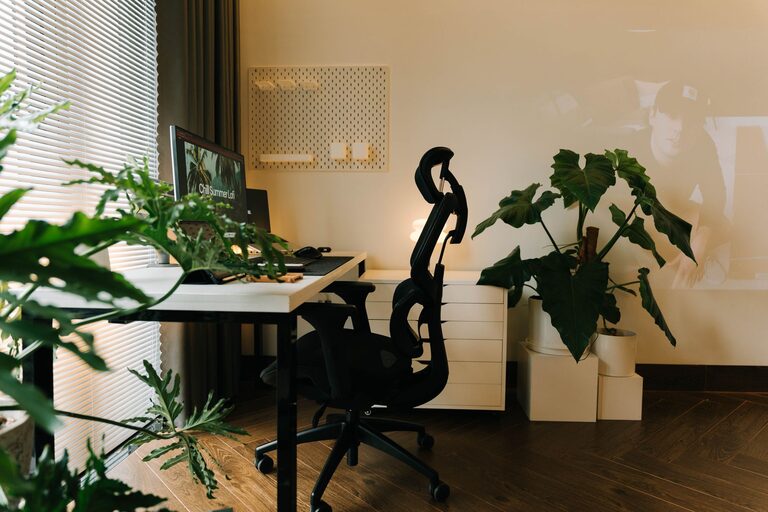
Creating a cozy and inviting home workspace is essential for anyone working or studying from home. A comfortable and well-organized area not only boosts productivity but also enhances your mood and overall well-being. Whether you have a dedicated room or a small corner, these tips will help you design a workspace that feels both warm and inspiring.
Choose the Right Location
Consider natural light
Natural light can greatly improve your work environment. Position your desk near a window to take advantage of daylight, which can reduce eye strain and boost your energy. If this isn’t possible, invest in a good-quality desk lamp with adjustable brightness.
Find a quiet spot
Noise distractions can reduce focus. Pick a space that is as quiet as possible, away from daily household activities. If background noise is unavoidable, consider noise-canceling headphones or a white noise machine.
Invest in Comfortable Furniture
Select an ergonomic chair
Comfort is key when spending hours at your desk. An ergonomic chair supports your posture and can prevent back pain. Look for adjustable features like seat height, lumbar support, and armrests.
Choose a spacious desk
A clutter-free workspace helps your mind stay clear. Pick a desk with enough surface area to hold your computer, notebooks, and any other essentials without feeling cramped.
Add Personal and Cozy Touches
Use soft textiles
Incorporate cushions, throws, or a small area rug to add warmth and texture. These items make your workspace feel inviting and comfortable.
Bring in plants
Plants not only brighten your space but also improve air quality and reduce stress. Choose low-maintenance varieties like succulents or pothos that thrive indoors.
Display inspiring items
Personalize your workspace with artwork, photos, or motivational quotes. These reminders can keep you motivated throughout the day.
Organize Effectively
Use storage solutions
Keep your desk tidy with shelves, drawers, or organizers. Having designated spaces for papers, gadgets, and supplies reduces clutter and saves time searching for items.
Establish a cable management system
Manage cords and cables with clips, sleeves, or trays to keep them out of sight and prevent tangles.
Optimize Lighting
Balance natural and artificial light
Too much screen glare or dim lighting can cause eye fatigue. Position your computer to avoid reflection and add task lighting focused on your work area.
Consider warm bulbs
Use bulbs with a warm color temperature (around 2700K to 3000K) to create a softer, cozier atmosphere compared to harsh, cool lighting.
Maintain Good Air Quality and Temperature
Ventilate regularly
Open windows or use air purifiers to keep fresh air circulating, which helps concentration and comfort.
Control temperature
Make sure your workspace is neither too hot nor too cold. Use fans, heaters, or humidifiers as needed to maintain a comfortable temperature year-round.
Establish a Functional Routine
Keep it clutter-free daily
Spend a few minutes at the end of each day tidying up. A clean workspace makes starting the next day easier and less stressful.
Set boundaries
If you live with others, clearly communicate your work hours and workspace boundaries to minimize interruptions.
Final Thoughts
Creating a cozy and inviting home workspace doesn’t require a big budget or major renovations. By thoughtfully choosing your location, investing in comfort, adding personal touches, and organizing efficiently, you can design a space that encourages focus, creativity, and well-being. Your workspace should be a place you want to spend time in—a reflection of your style and a hub for productivity. Take the time to make it yours, and enjoy the benefits of a comfortable and inspiring environment every day.
About the Author